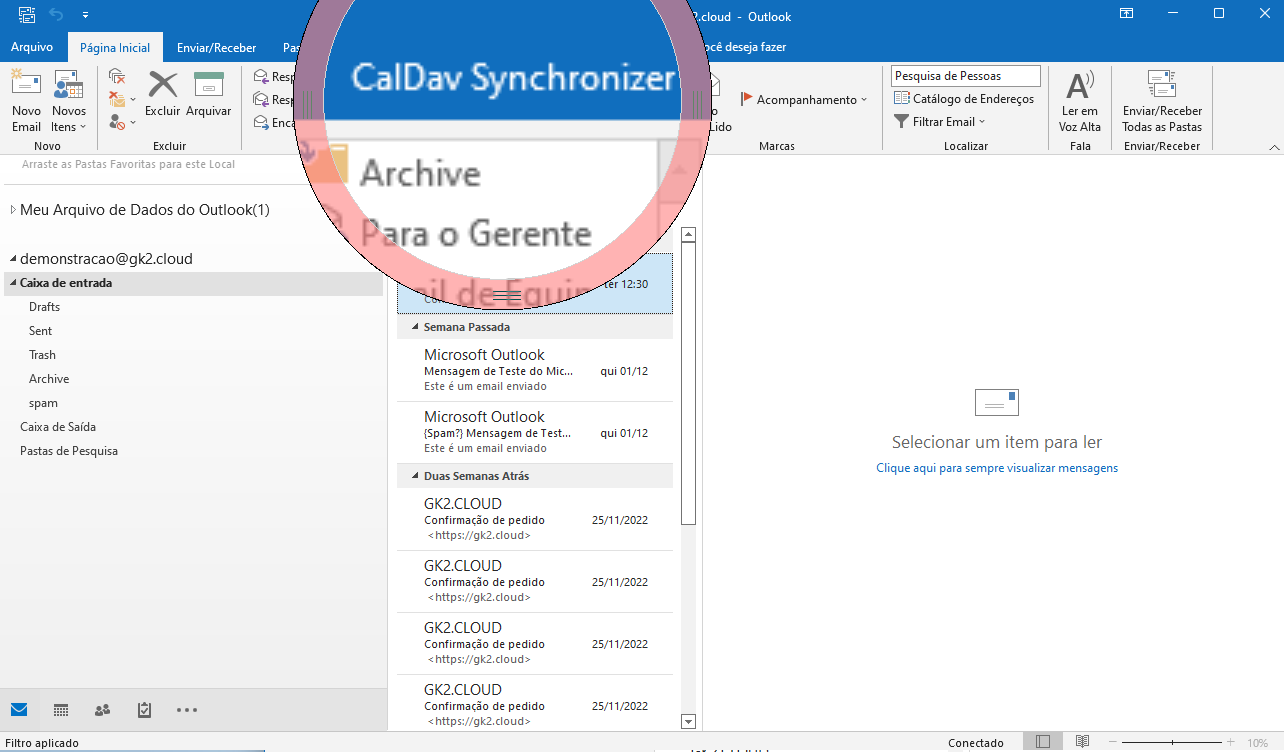
# Instalar CalDAV Outlook

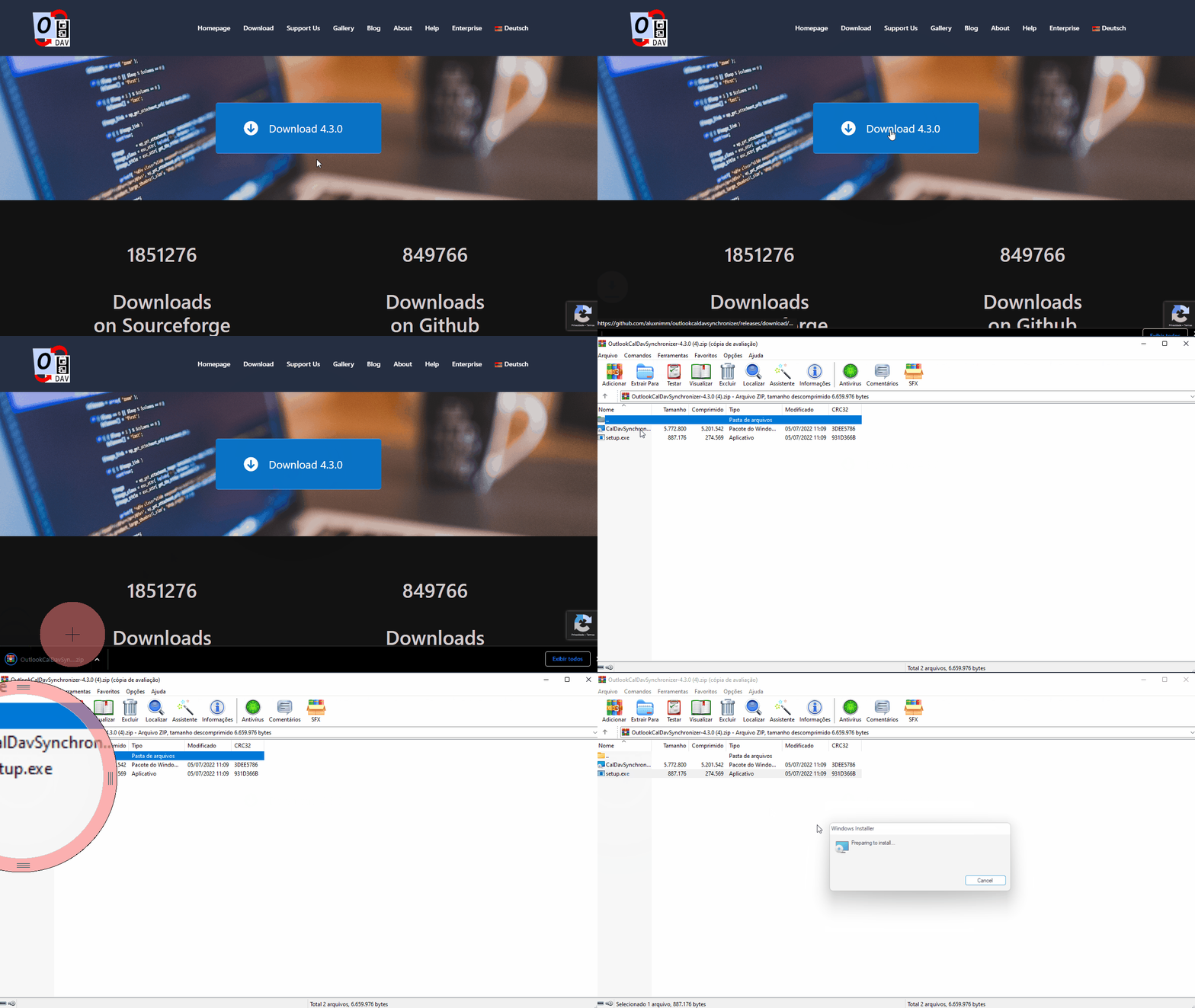
##### 1 - Efetuar o download e instalação do Outlook Caldav  
  
- [Download CalDAV](https://caldavsynchronizer.org/download-2/ "CalDAV")  
  
2 - Executar setup.exe dentro do arquivo .zip   


[![CalDAV 2.gif](https://oraculo.gk2.cloud/uploads/images/gallery/2022-12/sgTcaldav-2.gif)](https://oraculo.gk2.cloud/uploads/images/gallery/2022-12/sgTcaldav-2.gif)
##### <span style="mso-no-proof: yes;">  
</span>

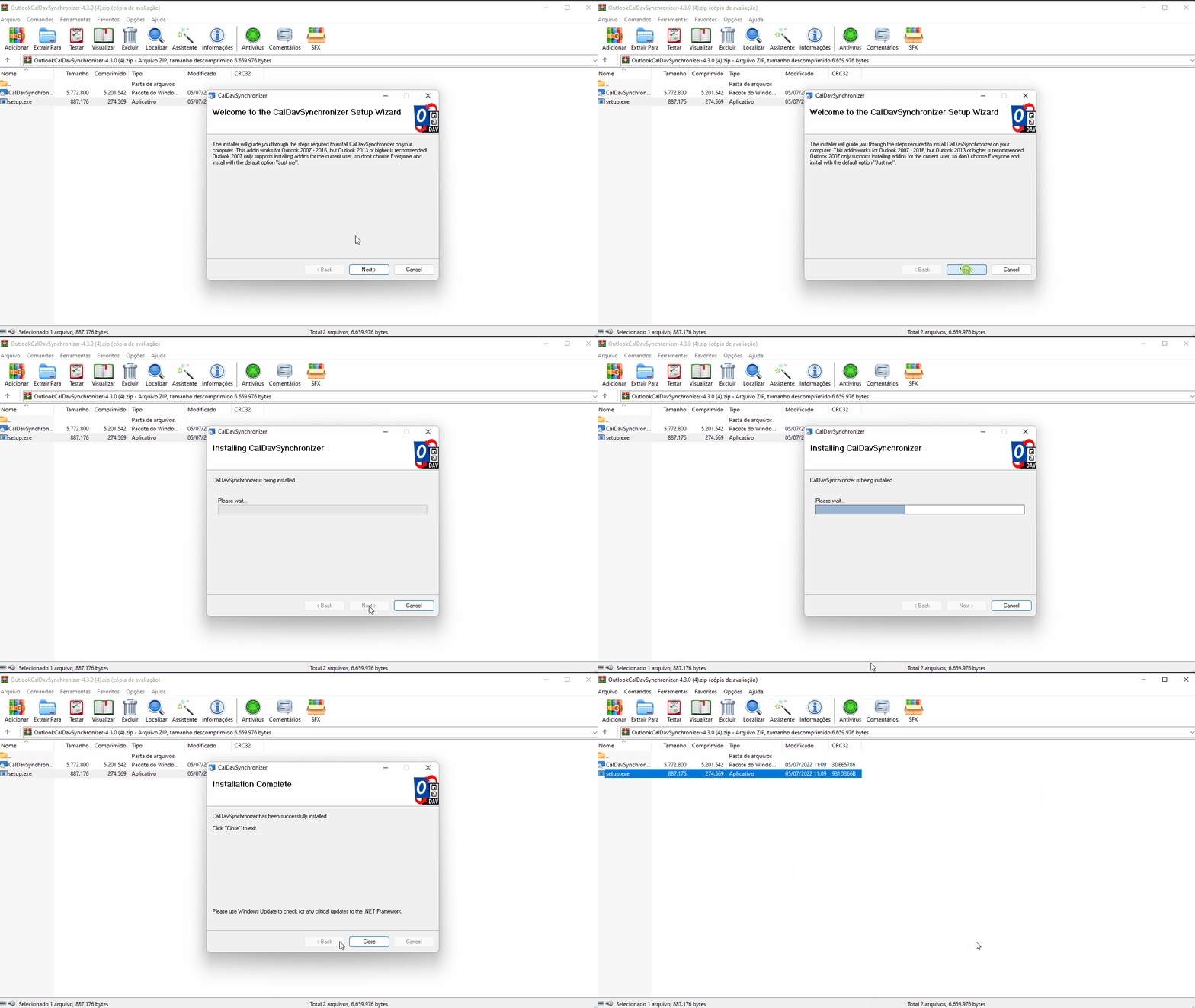
##### 3 – Efetuar a instalação normalmente.  


[![CalDAV 3.gif](https://oraculo.gk2.cloud/uploads/images/gallery/2022-12/Z3bcaldav-3.gif)](https://oraculo.gk2.cloud/uploads/images/gallery/2022-12/Z3bcaldav-3.gif)
##### 4 - Abrir Outlook, terá um novo campo "CalDav Synchronider"

##### <span style="font-size: 11.0pt; line-height: 107%; font-family: 'Calibri',sans-serif; mso-ascii-theme-font: minor-latin; mso-fareast-font-family: Calibri; mso-fareast-theme-font: minor-latin; mso-hansi-theme-font: minor-latin; mso-bidi-font-family: 'Times New Roman'; mso-bidi-theme-font: minor-bidi; mso-ansi-language: PT-BR; mso-fareast-language: EN-US; mso-bidi-language: AR-SA;">  
</span>

[![Sem título.png](https://oraculo.gk2.cloud/uploads/images/gallery/2022-12/scaled-1680-/sem-titulo.png)](https://oraculo.gk2.cloud/uploads/images/gallery/2022-12/sem-titulo.png)

[Calendario URL ](https://server01.gk2.net.br:2096/cpsess2006586861/3rdparty/roundcube/?_task=calendar&_cal=Z2syQGFwb2xvZW1iYWxhZ2Vucy5jb20uYnI6MQ%3D%3D.ics&_action=feed)

##### <span style="font-size: 11.0pt; line-height: 107%; font-family: 'Calibri',sans-serif; mso-ascii-theme-font: minor-latin; mso-fareast-font-family: Calibri; mso-fareast-theme-font: minor-latin; mso-hansi-theme-font: minor-latin; mso-bidi-font-family: 'Times New Roman'; mso-bidi-theme-font: minor-bidi; mso-ansi-language: PT-BR; mso-fareast-language: EN-US; mso-bidi-language: AR-SA;">  
  
  
</span>